Leading Retrospectives: Scenario-Based eLearning
(In a hurry? Feel free to jump ahead to the TL;DR for a quick recap.)
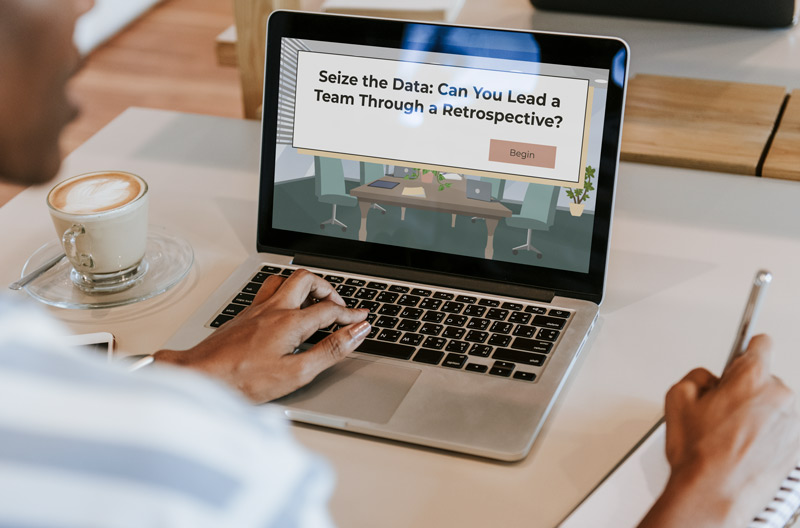
This scenario-based e-learning is a concept project that helps project managers make informed decisions when leading software development teams during retrospective meetings.
Tools Used: Articulate Storyline, Vyond, Mindmeister, Figma, Google Suite, Audacity, Chat GPT
Audience: Project Managers
Responsibilities: Instructional Design, Storyboarding, Action Mapping, eLearning Development, Visual Design, and Prototype Creation
The Problem
Phoenix Enterprises, a rapidly growing software development firm, is navigating an exciting yet challenging phase of rapid expansion. Amid this momentum, operational efficiency has taken a hit—most notably reflected in a spike of costly bugs surfacing during testing.
To better understand the root of the issue, I explored how software teams typically handle bugs and how agile practices are implemented within Phoenix. Through this investigation, a deeper performance issue came to light: many newly appointed project managers lacked the experience to effectively facilitate agile retrospective meetings—an essential component for team learning and continuous improvement. Without strong leadership in these sessions, critical errors often went unrecognized, were misdiagnosed, or remained unresolved across development cycles.
The Solution
To address the root performance issue—ineffective facilitation of agile retrospectives by newer project managers—I proposed a scenario-based, story-driven eLearning solution designed to build real-world decision-making skills in a risk-free environment.
As I immersed myself in how retrospective meetings support software teams, it became clear that these sessions are more than just routine check-ins; they’re the engine of continuous improvement. When well-facilitated, retrospectives empower teams to pinpoint the root causes of recurring bugs, streamline their workflow, and align more precisely with the project’s definition of done.
Through collaboration with my subject matter expert, I uncovered a critical insight: no two teams struggle for the exact same reasons. Bugs weren’t just technical issues—they were often symptoms of miscommunication, unclear expectations, or leadership gaps. That’s why the focus of the training needed to go beyond a step-by-step process. Instead, we centered the learning experience on building adaptive leadership skills that enable PMs to guide diverse teams through reflective, productive retrospectives.
The solution I designed is a series of interactive eLearning modules built around realistic scenarios that mirror the day-to-day challenges Phoenix project managers face. Learners are placed in the role of facilitator, navigating dynamic team conversations, making judgment calls, and receiving targeted feedback on their choices.
I chose eLearning for its scalability, flexibility, and alignment with the company’s tech-savvy culture. The format supports hybrid, in-person, and remote teams, and can evolve over time as Phoenix’s agile practices or organizational needs change. This solution not only builds core competencies—it gives project managers the confidence to lead with agility, empathy, and strategic foresight.

My Process
To ensure the training was targeted and measurable, I collaborated with a subject matter expert who has over a decade of experience in software development teams. We identified key performance gaps and pinpointed where eLearning could have the greatest impact, particularly in helping project managers build confidence and competence in facilitating agile retrospectives.
My goal was to create a low-risk, high-impact learning experience where PMs could practice decision-making, understand the consequences of their choices, and develop critical thinking skills. I used an action mapping approach to outline core actions and developed a detailed text-based storyboard, refining it through iterative feedback. This process ensured alignment with stakeholders and resulted in a practical, scalable learning solution.

To ensure the training drove meaningful behavior change, I turned to Cathy Moore’s action mapping framework—a proven approach that aligns learning with real-world performance. Rather than centering the experience around what project managers should know, I focused on what they need to do to lead effective agile retrospectives.
Working closely with my subject matter expert, who brought deep insights from years in software development, we analyzed the retrospective process in detail. Together, we surfaced the most common challenges teams face and identified the critical moments where strong facilitation can make—or break—team performance. This collaboration helped us ground the learning in authentic, high-impact scenarios that reflected the agile ethos of flexibility and responsiveness.
My initial action map was… ambitious—think sprawling octopus with too many arms. But through thoughtful iteration and strategic conversation with my SME, we refined the scope to focus on one high-leverage part of the retrospective: the data-gathering phase, where teams surface insights, identify patterns, and begin diagnosing root causes.
By narrowing in on this essential moment, we were able to pinpoint high-priority actions that would give newer project managers targeted practice in leading discussions, asking the right questions, and fostering psychological safety—all within a low-risk, simulated environment. This design not only sharpened the learning objectives but also reinforced a shift from passive knowledge consumption to active skill application, where behavior change is both the goal and the measure of success.
Text-based Storyboard
I was especially excited to dive into the storyboarding phase—this is where the experience truly comes to life. For me, storyboarding is more than just outlining—it’s about crafting a narrative that mirrors the real-world consequences of workplace decisions, giving learners a chance to engage with complex scenarios in a meaningful way.
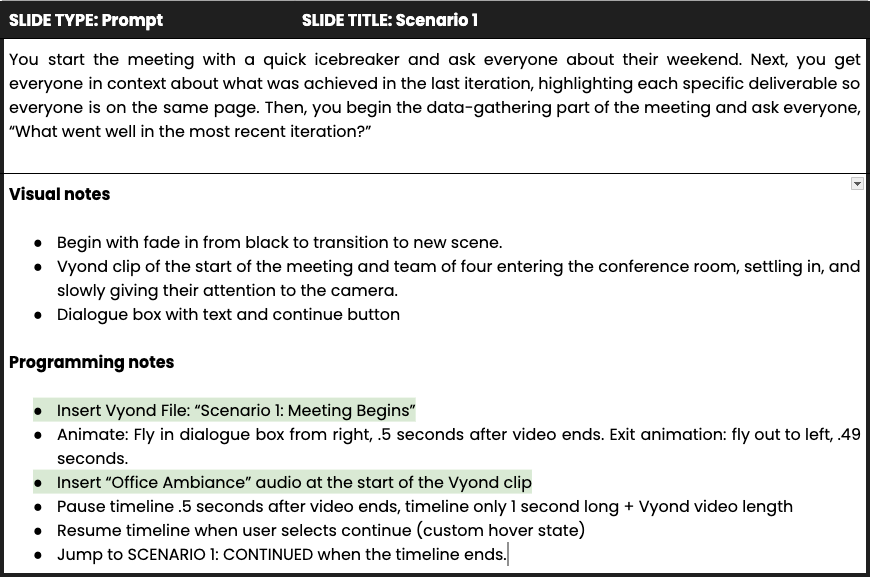
Using the storyboard as the blueprint for the experience, I focused on weaving a realistic, scenario-driven narrative where learners could explore cause and effect through their choices. One of the design challenges I embraced was finding the right balance between guidance and autonomy—allowing learners to make mistakes, feel the consequences, and learn through experience rather than passive instruction.
Throughout the process, I applied Richard Mayer’s personalization principle, ensuring the tone remained conversational and accessible. I introduced a mentor character—Dominique—who offered context-sensitive support only when learners actively sought it. In an effort to reduce cognitive load, I made her feedback optional, so users could choose whether they wanted to see it. In addition, rather than giving direct answers, Dominique posed thoughtful, open-ended questions designed to prompt reflection and critical thinking. This subtle layer of scaffolding helped reinforce learner agency while still providing just-in-time support.
Collaboration with my SME was instrumental at this stage. Their insights helped me fine-tune key decision points in the narrative, especially around the nuanced consequences of a project manager’s actions during a retrospective. With their feedback, I was able to iterate and refine the storyboard, ensuring that each choice the learner made had a logical ripple effect—mirroring the complexities of leading real agile teams.In the end, the storyboard became more than just a plan—it was a carefully constructed foundation for immersive, behavior-changing learning that felt authentic, practical, and personalized.
Visual Mockups
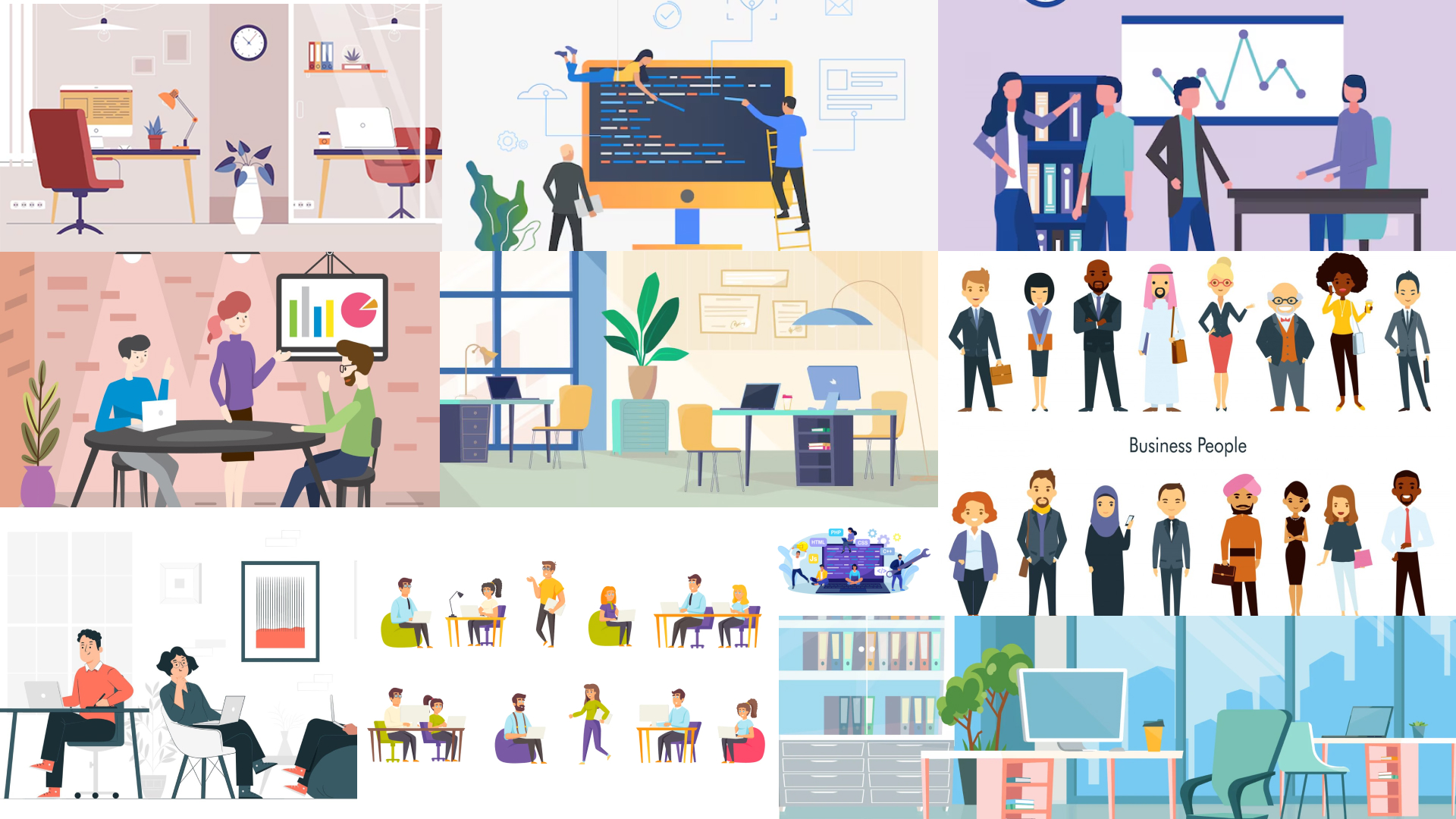
With storyboard approval in place, I transitioned into the visual development phase, where I focused on translating the learning experience into a visually engaging, intuitive interface. I began by building a mood board in Figma to explore design directions and gather visual inspiration, ensuring the look and feel aligned with the tone and objectives of the course.
Next, I developed a comprehensive style guide—also in Figma—to establish consistency across typography, color schemes, and interactive elements like buttons and callouts. I made deliberate choices with accessibility in mind, using high-contrast colors and clean, legible fonts to support readability and reduce cognitive load across screen sizes and learner environments.Because this was a concept project, I wasn’t bound by brand guidelines, which gave me creative freedom to design visuals purely based on what would enhance learner engagement and usability.

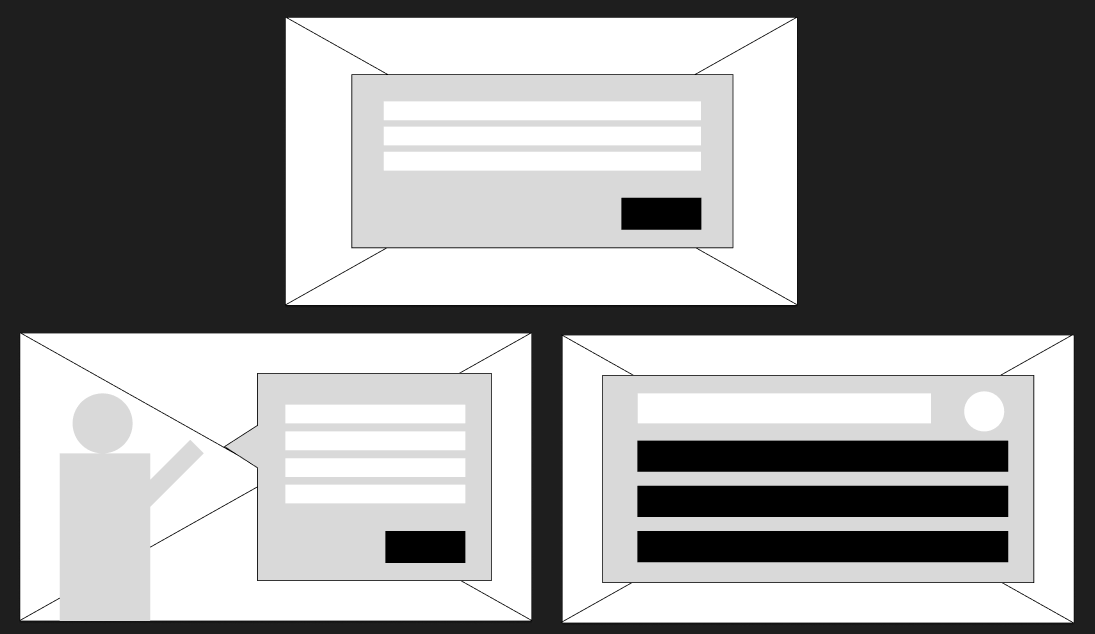
With the visual language established, I moved into wireframing, mapping out each slide’s layout to clarify structure, prioritize content, and plan for interactive elements. This process helped ensure a seamless user experience while reinforcing the instructional flow.Using Figma throughout this phase enabled rapid iteration and easy collaboration, allowing for efficient feedback cycles and alignment with stakeholders. The end result was a visual foundation that elevated the learning experience—balancing clean, modern design with instructional clarity.
Interactive Prototype
To bring the learning experience to life, I developed an interactive prototype using Articulate Storyline 360, complemented by custom character animations created in Vyond. The goal for this phase was to build out the first nine slides—enough to guide the learner through the initial scenario and into their first decision point, allowing stakeholders to experience the pacing, tone, and interactivity firsthand.
My priority was to design a prototype that felt personal and immersive—not something the learner would passively watch, but something they were actively part of. To achieve this, I made strategic use of point of view, positioning the learner as a central character within the story. For example, in the opening scene of the retrospective meeting, team members look directly at the learner as they settle in. This subtle interaction creates a sense of intimacy and engagement, reinforcing the learner’s role as the facilitator and establishing emotional buy-in from the very start.
By combining cinematic storytelling techniques with interactive decision-making, I worked to ensure that learners not only absorbed the content but also felt its relevance and weight. This approach transforms the learning from a static exercise into a dynamic, behavior-driven experience—one that reflects the real-world challenges project managers face and prepares them to respond with confidence.

Another key design moment that reinforces the learner’s point of view occurs during an early transition scene: a close-up of typing hands paired with vivid, sensory-rich text. This scene was intentionally crafted to anchor the learner in the role of the project manager, setting the tone for the emotional and cognitive journey ahead.
Guided by human-centered design principles, I placed a strong emphasis on empathy. I asked myself: What does it feel like to be a new project manager walking into your first retrospective? That question shaped every design decision in this moment—from the pacing of the visuals to the subtle cues of anticipation and uncertainty. The goal was to capture the inner dialogue and quiet nerves that come with stepping into a leadership role for the first time, so learners would feel seen, understood, and supported right from the start.
By thoughtfully aligning visuals, tone, and emotional context, this scene not only enhances immersion but also builds psychological safety—laying the foundation for a learning experience that respects the learner’s perspective and encourages confident, real-world application.

Because this experience serves as the second installment in a larger learning series, I saw an opportunity to thoughtfully scaffold prior knowledge by weaving in subtle, in-context reminders of key takeaways from the first module, specifically around preparing for a retrospective and setting the team up for success. Rather than overt repetition, these touchpoints are strategically embedded to reinforce continuity, build learner confidence, and create a seamless bridge between modules. This approach ensures that each part of the series not only stands on its own but also contributes to a cohesive, progressive learning journey grounded in real-world application.
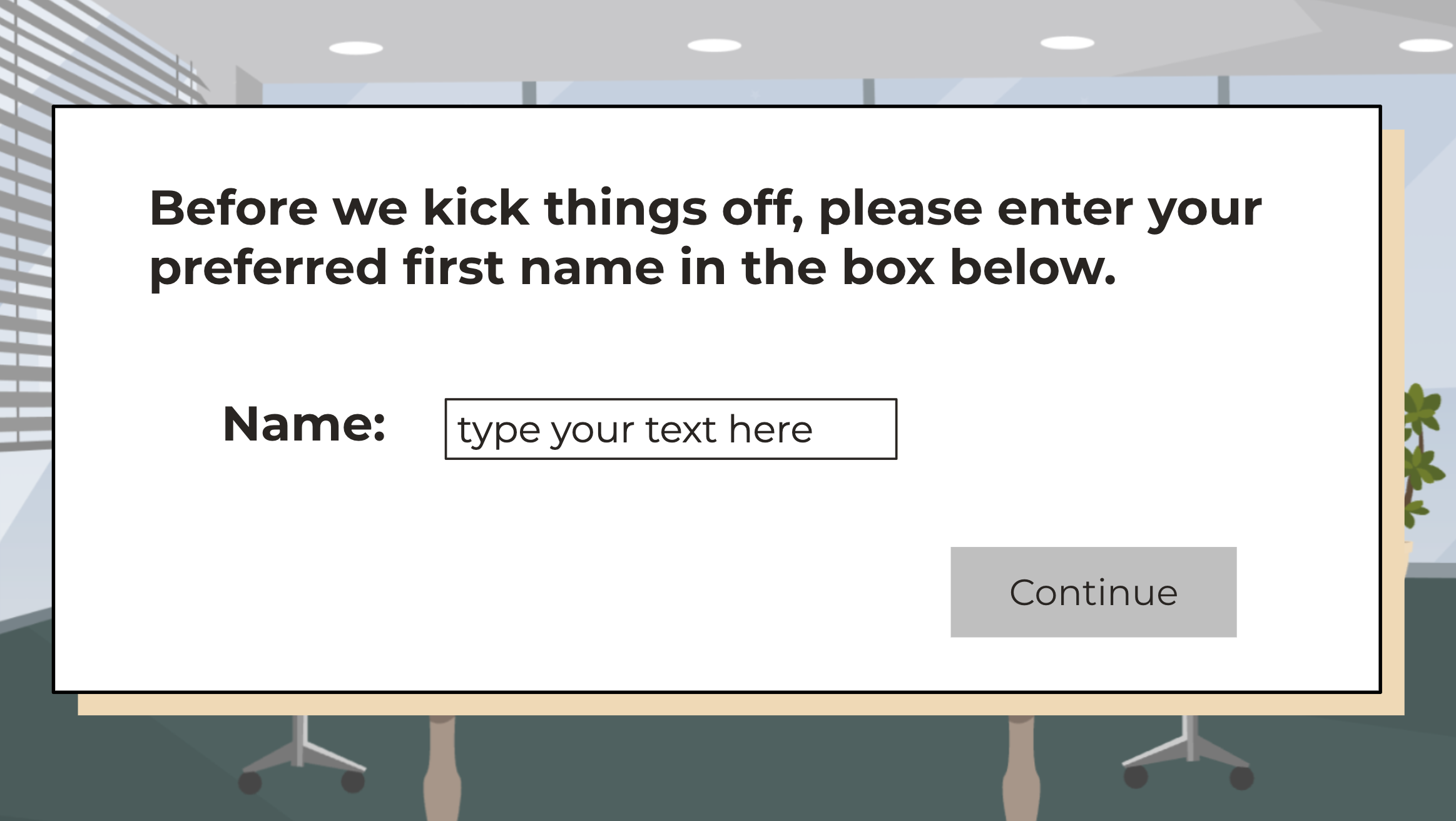
To enhance personalization and increase learner engagement, I implemented variables to capture the user’s name on the second slide, allowing the characters to address them directly throughout the entire course. This approach not only humanizes the experience but also creates a deeper sense of connection, making the learner feel more involved and invested in the narrative. By integrating this level of customization, I aimed to foster a more immersive, learner-centric environment that feels responsive to the individual’s experience.
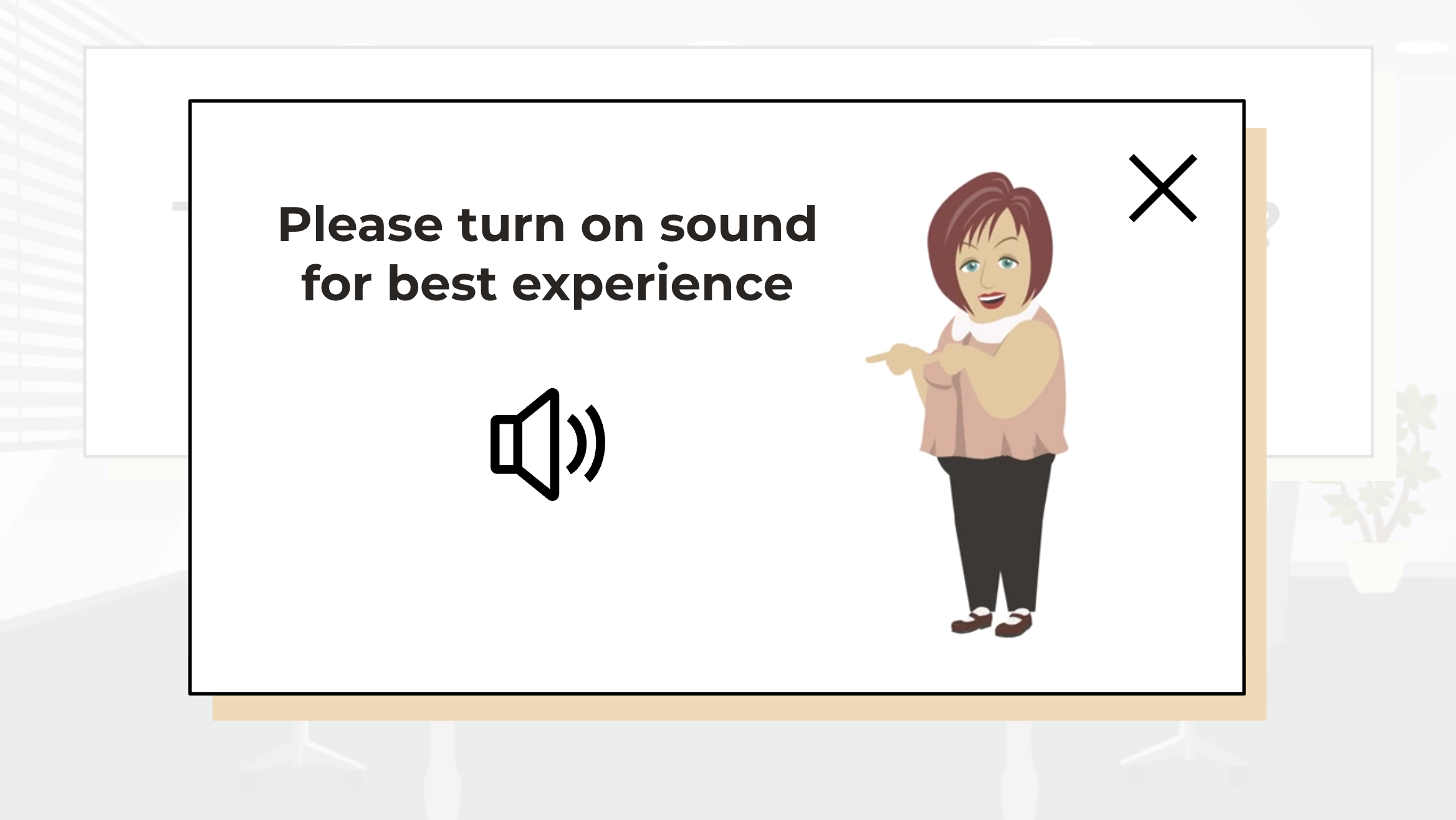
Although this is a concept project, I made a deliberate effort to gather feedback early and often, allowing me to continuously refine and enhance the prototype as I progressed. The overall response was positive, with strong approval for the experience’s look, feel, and interactivity. However, one insightful piece of feedback suggested that the volume alert could be more noticeable. In response, I added a distinct layer for the volume notification, incorporating an audible “ding” synchronized with a character pointing to the sound icon, ensuring the alert was impossible to miss.
While much of the content is accessible through text, I intentionally designed the experience to offer learners the option to opt into a more immersive, sensory-rich environment through ambient sounds. This feature not only enhances engagement but also creates a deeper sense of immersion, allowing learners to interact with the material in a way that aligns with their personal preferences.
Full Development

With the prototype complete, it was time to scale the project and build out the remaining slides and scenarios. I focused on developing variables, triggers, and conditions, and I conducted extensive testing. Even with a well-developed storyboard and prototype, there were moments when I needed to see the content in action to locate any issues with timing, transitions, or reduced causality within the story itself. This is a time-consuming process, but quality control and making sure everything feels smooth and clear was especially crucial in this phase.
I developed the learning experience so that even when users were making incorrect decisions, they were able to see the outcome of those choices and were given the option to “try again” which permitted the learner the opportunity to get it wrong and revisit the question armed with new context. I built feedback into the story so that as the learner makes choices, they are given clues about why they were or were not successful in that choice. The story provided this in a variety of forms: written feedback from colleagues in evaluations, a frustrated boss, an upset client, interpersonal tensions within the group, and even situations where a colleague left their position.
To ensure the course was accessible to all learners, I prioritized inclusive design. At this point, I revised the focus order to support keyboard navigation and added meaningful alt text to all visual elements for screen readers. These adjustments aligned the course with WCAG guidelines and helped create a more equitable learning experience for users with diverse needs.
Results & Takeaways
By the time I delivered a full draft of the scenario-based e-learning module for peer review, the feedback was overwhelmingly positive, especially regarding the conversational tone and narrative voice. Several reviewers noted that the storytelling helped learners stay engaged while working through realistic decision-making scenarios. One particularly useful piece of feedback came from a colleague who suggested that incorrect choices could feel more clearly differentiated. At the time, the course reset quietly—evoking a “Groundhog Day” loop. In response, I added a light-touch rewind mechanic: a brief interstitial slide featuring the characters walking backward, accompanied by the sound of a VHS rewind. This subtle cue helped learners better understand the temporal reset without disrupting flow, and reinforced the narrative motif of reflection and iteration.
If I were to revisit this project, I’d incorporate a lightweight progress tracker—something I initially scoped but ultimately set aside due to time constraints. A tracker would give learners visual insight into their progress and reinforce the structure of the experience, especially important in nonlinear or branching narratives. In future iterations, I’d prioritize this feature at the wireframing stage to ensure alignment with the course’s pacing and design goals.
Another design consideration I weighed was whether to add an exit hotspot for users to leave and resume the module. Ultimately, I opted against it, given the course’s brevity and intended completion in a single sitting. Since this module is designed for deployment via an LMS, learners already have the ability to close the course window natively. Still, a progress indicator could serve as an implicit reassurance, giving users confidence that the end is in sight.
I also experimented with integrating AI into my production workflow. For small tasks—like trimming a rewind sound effect to five seconds—ChatGPT handled the job efficiently, especially since the audio was consistent and didn’t require nuanced editing. However, using AI to generate a final certificate of completion proved less effective. Despite clear instructions, the tool struggled with consistency and accuracy, requiring multiple iterations to resolve formatting and typographical issues. In this case, traditional design tools like Figma would have been more efficient. This experience reinforced my belief that while AI can streamline low-stakes tasks, it’s not always the right tool for detail-sensitive deliverables.
TL;DR
This concept project trains new project managers at a growing software firm to lead more effective agile retrospectives, addressing costly errors rooted in team misalignment rather than just technical bugs.
I led the end-to-end design—from action mapping and storyboarding to visual mockups, accessibility enhancements, and interactive prototyping—using tools like Storyline, Vyond, and Figma.
Grounded in constructivist learning theory, the design emphasized active decision-making and reflection over passive content delivery. I used scenario-based storytelling to immerse learners in real-world team dynamics, with branching choices and feedback tied to learner actions. Drawing from cognitive load theory, I introduced an optional mentor character who offered support on demand—minimizing overload while promoting autonomy and metacognitive reflection.
The action map helped focus the experience on one high-impact moment: the data-gathering phase of a retrospective, where learner choices affect psychological safety and team insights. This narrowed scope allowed for targeted practice, aligning with Cathy Moore’s performance-first design philosophy.
During development, I added a rewind feature to help learners recognize mistakes without breaking flow. Feedback loops were embedded into the narrative—illustrating realistic consequences such as miscommunication, client dissatisfaction, or interpersonal conflict, drawing from situated learning principles.
To support accessibility, I revised focus order and added alt text—ensuring inclusive navigation in line with WCAG standards.
In testing, I received strong feedback on the conversational tone, story-driven engagement, and narrative pacing. While AI tools like ChatGPT were helpful for low-stakes tasks (e.g., trimming audio), they proved unreliable for high-fidelity deliverables like certificates—reinforcing the importance of tool selection aligned to task complexity. If given more time, I would have added light gamification with a progress tracker—supporting self-regulated learning by giving learners clearer feedback on their journey and reinforcing motivation. In future iterations, I’d scope this early in the wireframing phase to better align with instructional and emotional pacing.
 Jen Popa | Instructional Designer